Parametric CAD, written in Rust
Sketch, constrain and dimension, then build parts, assemblies, drawings and circuit boards from features you can always go back and change. It runs on your own computer, with your documents in a folder you own.
Free and open source (MIT or Apache-2.0) · Windows, Linux and macOS · An independent project
On this page
Three steps to your first part
Download cadrs
Archives for Windows and Linux, a universal app for macOS. No account and no sign-in: your documents stay on your computer.
Make your first part
Sketch a rectangle, extrude it, then change one dimension and watch the part rebuild.
Connect an AI assistant
Turn on the MCP server, and Claude, Cursor or another assistant can sketch, extrude and take screenshots in the open document.
Download
Latest release: v0.2.0
Windows and Linux builds are for 64-bit x86. Every release, with SHA-256 checksums, is on GitHub Releases. The macOS app is universal, one download for Apple silicon and Intel Macs. It isn't signed yet, so open cadrs the first time with right-click › Open. Or build from source.
Build from source
A Rust toolchain and a C compiler. The modeling kernel is pure Rust, so there is no C++ or CMake build.
git clone https://github.com/rvdende/cadrs
cd cadrs
cargo install-local
This builds in release and installs cadrs for your user, with a launcher entry. Run it again to update. To run without installing, use cargo run --release.
Features you can edit, in the order you made them
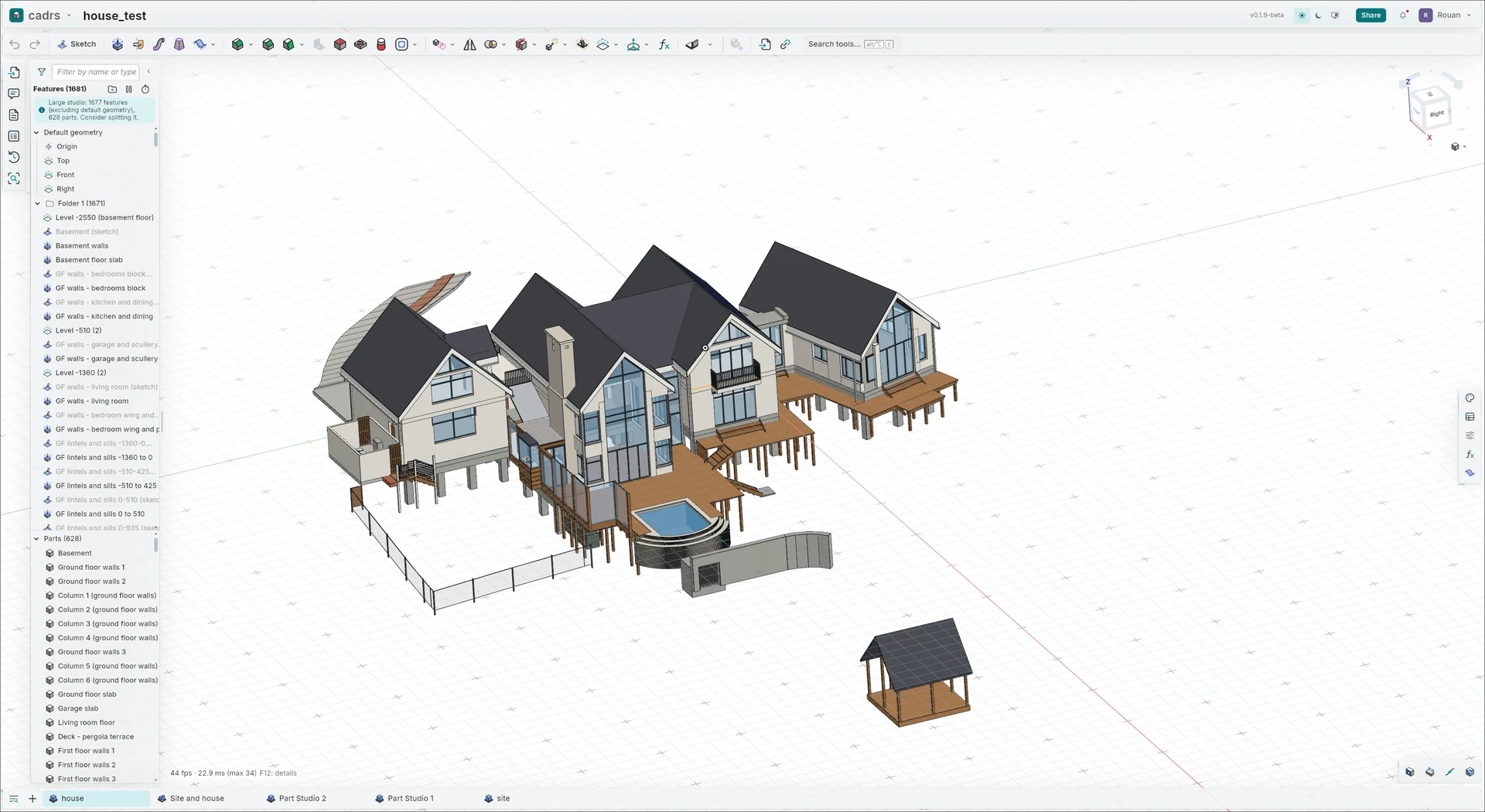
A part in cadrs is a recipe, not a lump of geometry: sketches and the features built on them, each one editable. Change a number at the start and the rest follows.
A sketch on a plane
Lines, arcs and circles on a plane or a face. Constraints (horizontal, tangent, coincident and more) and dimensions pin down their shape.
Features make solids
Extrude, revolve, sweep and loft turn sketches into parts; fillet, chamfer, shell, holes and patterns finish them.
A history you can edit
The feature list keeps every step in order. Double-click one to change it and everything after it rebuilds; drag the rollback bar to see the part as it was.
One document, many tabs
Part Studios, assemblies, drawings, PCB Studios, renders and CAM jobs sit side by side as tabs, with versions and branches for the whole document.
Your first part: change one dimension
A block 40 by 30 by 10 mm becomes 60 long with one edit. The values are only suggestions; use your own.
- 1
Start a document
New document on the documents page opens a Part Studio with the Top, Front and Right planes.
- 2
Sketch a rectangle
Sketch (Shift+S), then pick the Top plane. Draw a corner rectangle (G) and dimension it (D): 40 mm wide and 30 mm deep. Accept the sketch with its check mark.
- 3
Extrude it
Extrude (Shift+E), pick the rectangle's region, set the depth to 10 mm and accept.
- 4
Change one dimension
Double-click Sketch 1 in the feature list, double-click the 40 mm dimension, type 60 and press Enter. Accept the sketch: the extrude follows it. The same features make a longer block.
Choose how you work
One app, used on its own, from source, with an AI assistant or with other people.
| Way | What it takes | Good to know |
|---|---|---|
| Desktop app | Windows and Linux on 64-bit x86; macOS universal (beta). | Documents are files in a folder on your computer, and it works offline. |
| From source | Anywhere Rust builds: cargo install-local. | The modeling kernel is pure Rust, so there is no C++ or CMake step. |
| With an AI assistant | Any MCP client, over HTTP on your own machine. | Off until you turn it on in Preferences. The assistant's edits go through undo like yours. |
| With other people | Share a document by cadrs ID and edit it together live. | Peer to peer: the apps connect directly, or through a relay when they must. |
What goes in, what comes out
Keep the .cadrs document to keep editing; exchange solids as STEP and meshes as STL. The list covers the main formats, not every one.
| Format | Use it for | Good to know |
|---|---|---|
| cadrs (.cadrs) | The whole document: every tab, the feature history, versions and branches. | Keep it to keep editing. cadrs is in beta, so keep a STEP of work that matters too. |
| STEP, IGES, BREP | Exact solids in and out (STEP AP214, IGES 5.3). | An imported file becomes an Import feature to build on, without the feature history it was made with. |
| STL, OBJ | Meshes for printing and rendering: STL in and out, OBJ out. | A mesh has no exact faces or edges to dimension against. |
| SVG, DXF, DWG, PDF, EPS | A drawing dropped onto a sketch becomes editable curves; flat patterns go out as DXF or DWG. | The curves land in the sketch you drop them on. |
| Gerber, Excellon, IDF | A board's fabrication files, and its outline and parts to and from other EDA tools. | Gerber X2 with a job file, and drill files for plated and non-plated holes. |
Model with an AI assistant
cadrs serves MCP (the Model Context Protocol), so an assistant can work in the open document beside you.
- Turn it on in Preferences: Enable MCP server. It listens on your own machine only, at 127.0.0.1:7680.
- Forty tools: open and create documents, sketch, extrude, edit and delete features, undo, take screenshots, export STEP, and place and route a board.
- Every change goes through undo and shows in the feature list, as yours do.
A project's .mcp.json (Claude Code, Cursor and other clients)
{
  "mcpServers": {
    "cadrs": {
      "type": "http",
      "url": "http://127.0.0.1:7680/mcp"
    }
  }
}
Or, for Claude Code, in a terminal
claude mcp add --transport http cadrs http://127.0.0.1:7680/mcpFrom sketch to assembly, drawing and board
Every change goes through undo, every feature can be edited later, and the kernel runs in a process of its own, so a crash costs a rebuild, not your work.
Part Studios
Extrude, revolve, sweep, loft, fillet, chamfer, shell, draft, holes, patterns and booleans. Every feature stays editable, and the part rebuilds.
Sketching
Lines, arcs, splines, ellipses, slots, polygons and text, with snapping and inference. Geometric constraints and driving dimensions are solved live while you drag.
Assemblies
Fastened, revolute, slider, cylindrical and planar mates, mate connectors, exploded views and a bill of materials.
PCB Studio
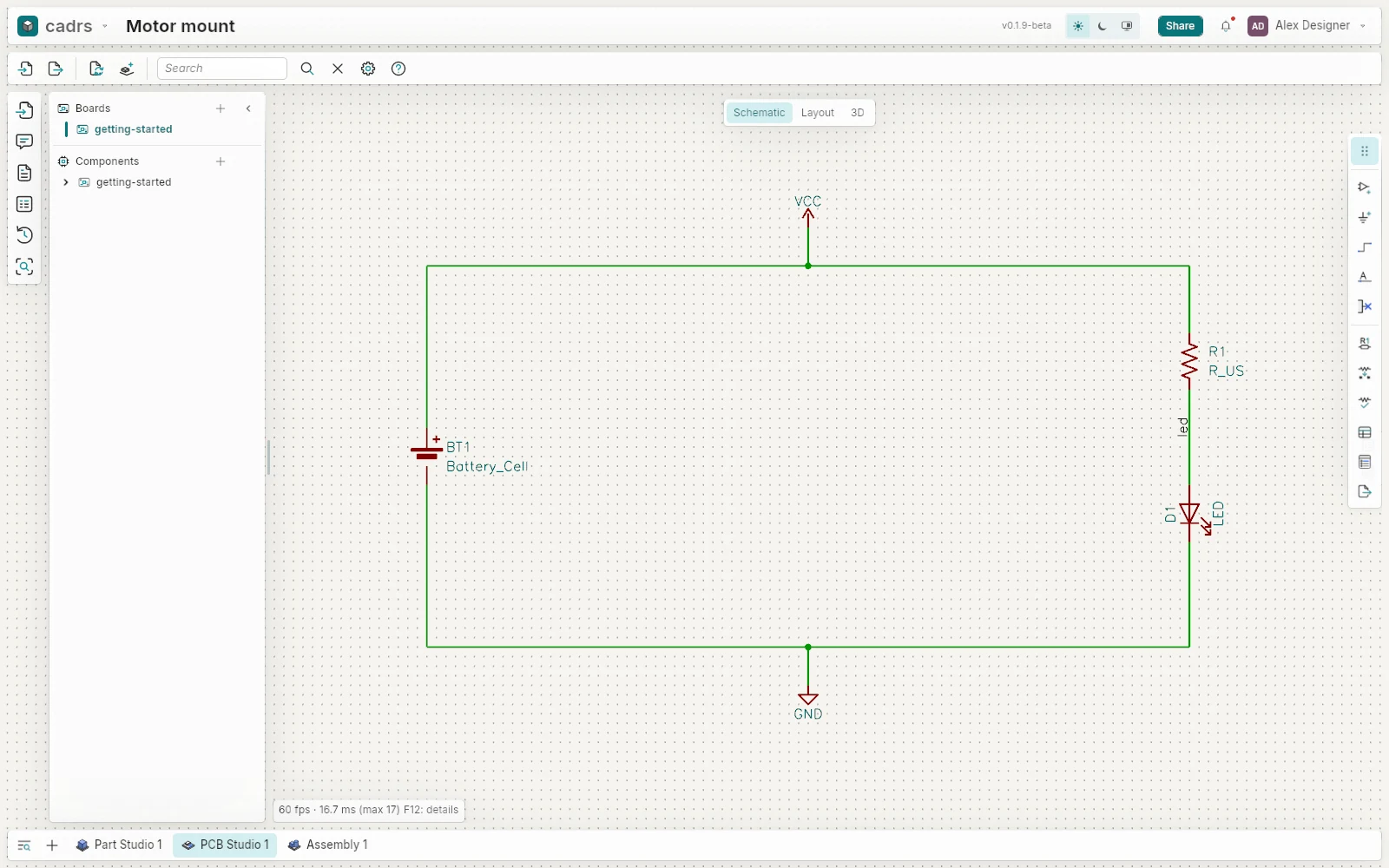
Schematic, board layout and routing in the same document as the enclosure. Gerber and drill files for the board house, IDF to and from other EDA tools.
Drawings
Standard and projected views, sections, details, dimensions, annotations, callouts and BOM tables.
Rendering and simulation
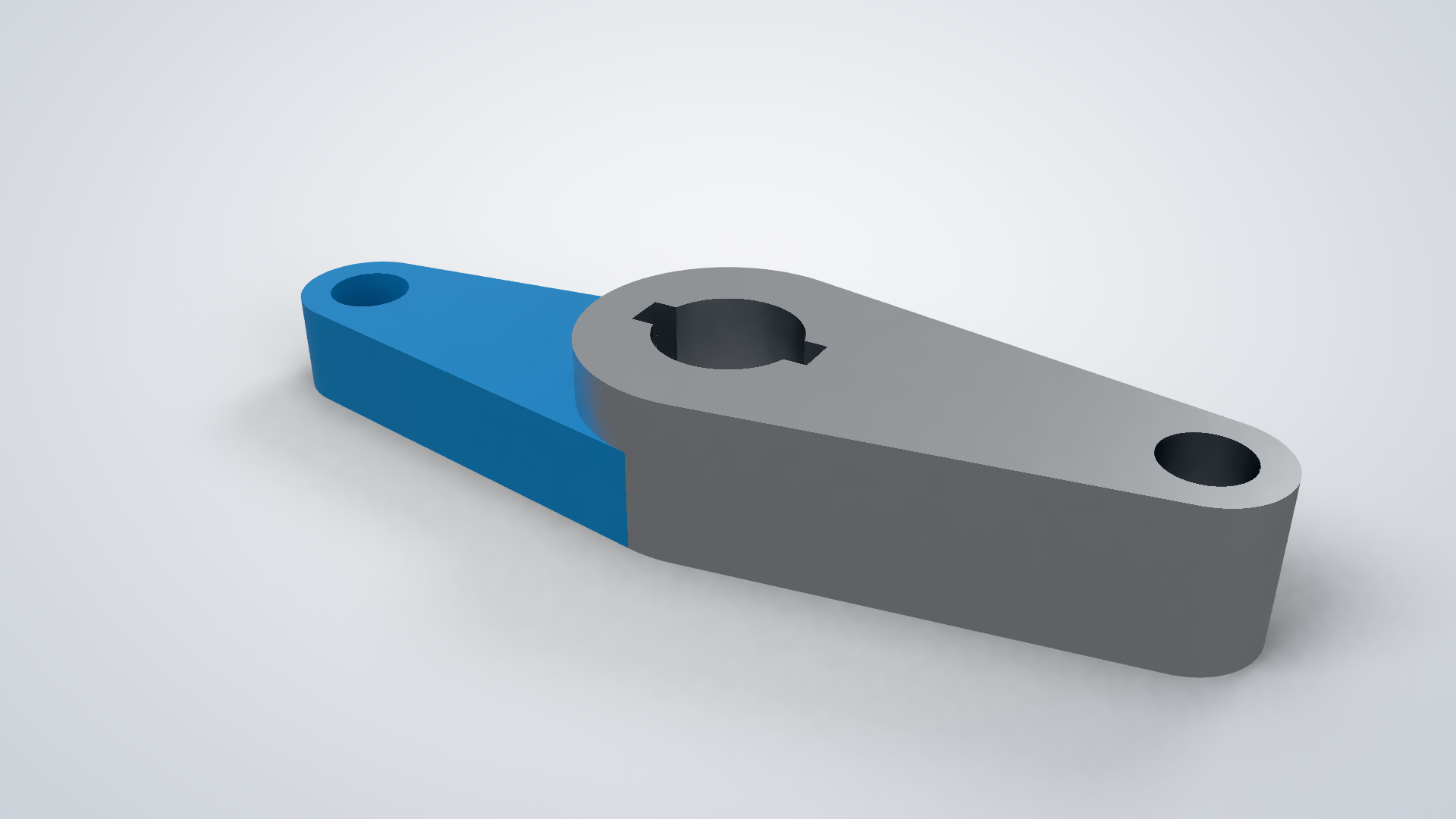
A path-traced renderer, linear static FEA, and measurement and mass properties.
Versions and branches
Every document keeps its history: name a version, branch from it to try an idea, merge the branch back. Link a part into another document at a version.
Your documents, on your computer
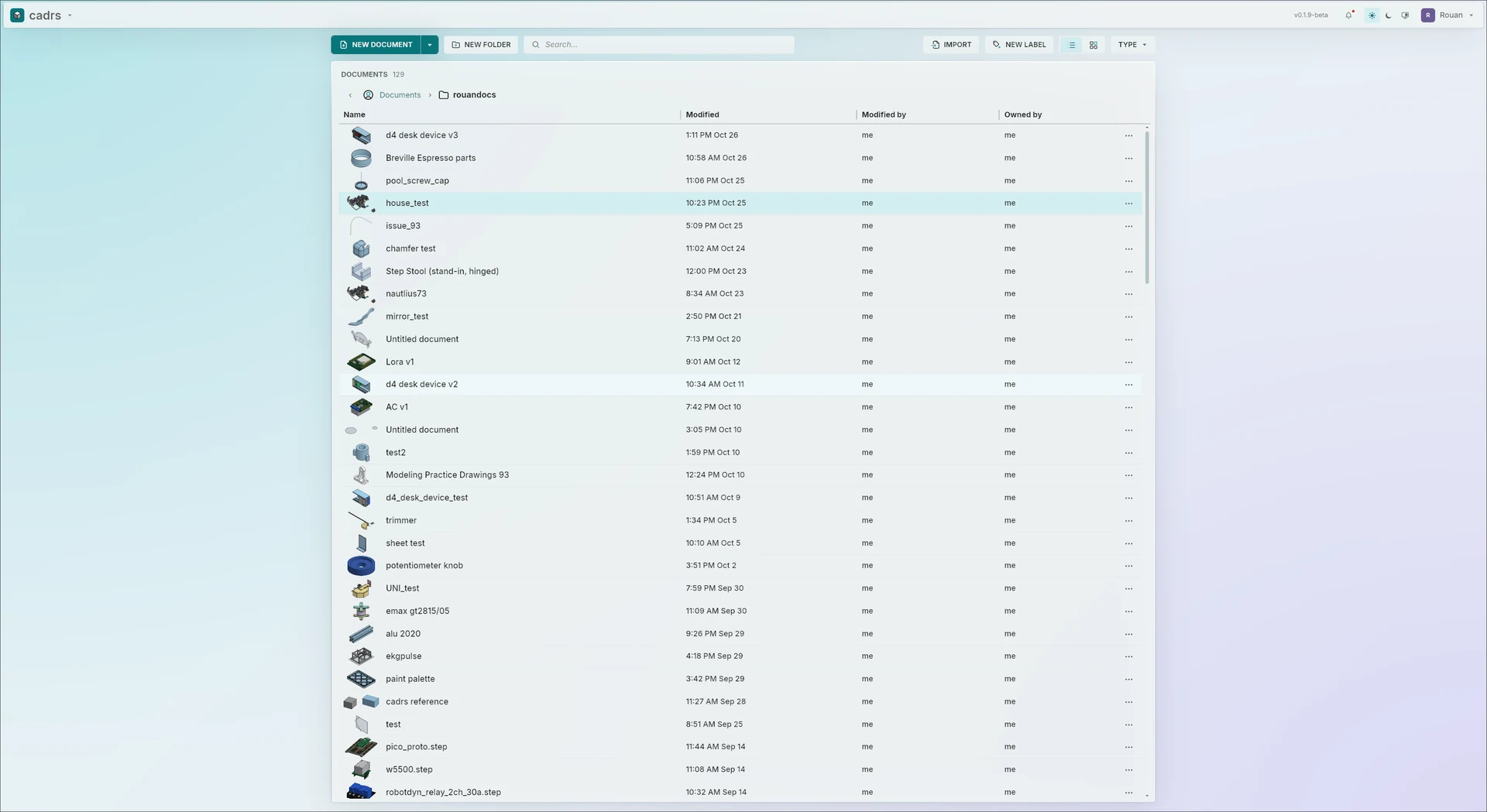
Folders, labels, search, a trash you can restore from, and thumbnails. Documents live in a folder you own; nothing is uploaded.
Sharing, peer to peer
Share a document with someone by their cadrs ID and edit it together, with comments and Follow mode. The two apps connect directly; no server keeps a copy.
What cadrs is good for, and what to check first
A good fit
- 3D-printed parts, brackets, enclosures and fixtures.
- A circuit board and the enclosure around it, in one document.
- Learning parametric CAD without an account or a subscription.
- Working offline, with files you keep.
- Building models with an AI assistant at your side.
Before a bigger project
- cadrs is in beta (0.1). Keep exports of work that matters.
- Imported STEP and IGES files come in as solids, without the feature history they were made with.
- Very large Part Studios, thousands of features, get slow: split them into several.
- The macOS app is a beta and isn't signed yet.
- Missing a tool you need? Check the issues, or open one.
Questions
Is cadrs free?
Yes. It is open source under MIT or Apache-2.0, at your option. There is no account and no subscription.
Which systems does it run on?
Windows and Linux on 64-bit x86, and macOS as a universal app (a beta: open it the first time with right-click, Open). Or build it from source.
Where are my documents kept?
In a folder on your computer; the app menu on the documents page opens it. Nothing is uploaded.
Can I work with other people?
Yes: share a document with someone by their cadrs ID (the account menu shows yours) and edit it together. The apps connect to each other directly.
Can it open my existing CAD files?
STEP, IGES and BREP come in as solids and STL as a mesh, ready to build on. The feature history from another CAD program doesn't come across.
How does an AI assistant use it?
Through MCP: with the server turned on, the assistant calls cadrs's tools (sketch, extrude, edit a feature, undo, take a screenshot, export STEP) in the running app.
Is cadrs connected to a CAD company?
No. cadrs is an independent open-source project, not affiliated with or endorsed by any CAD vendor.